Skip to content
Open StampDEX

Visual product atlas

Every capture on this site comes from the screenshot manifest: recorded by a runner, checked against the production commit it claims to describe, and regenerated before it can go stale. Screenshots marked as controlled recorded states are deterministic fixtures, never passed off as production.

Desk
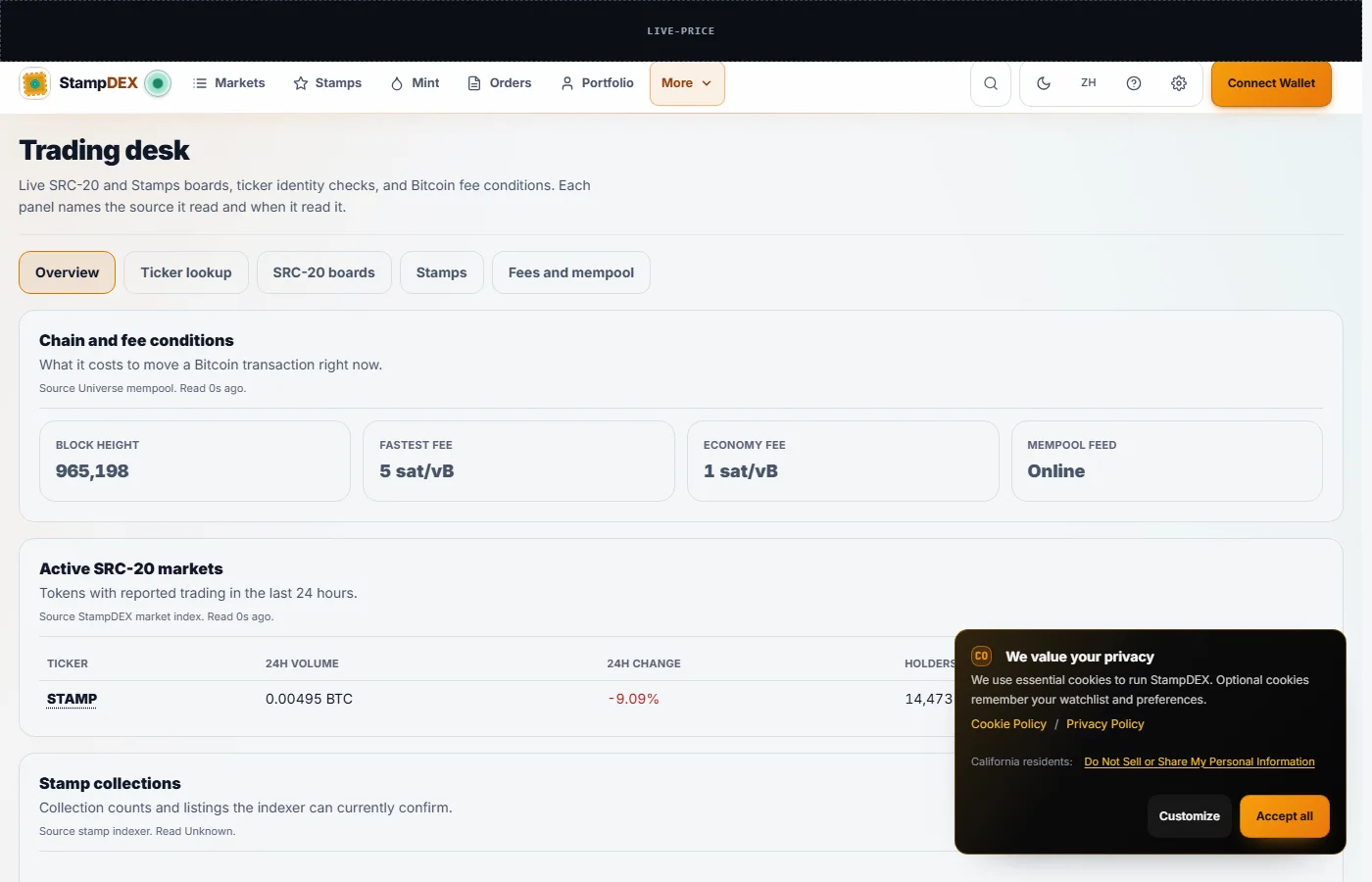
  • The StampDEX trading desk in the light theme: chain and fee conditions, active SRC-20 markets, and stamp collections on one screen.

    desk desktop light

    The desk: chain and fee conditions, active markets, and collections in one view.
    The guide that explains this screen

    Production · 2026-09-02 · light desktop

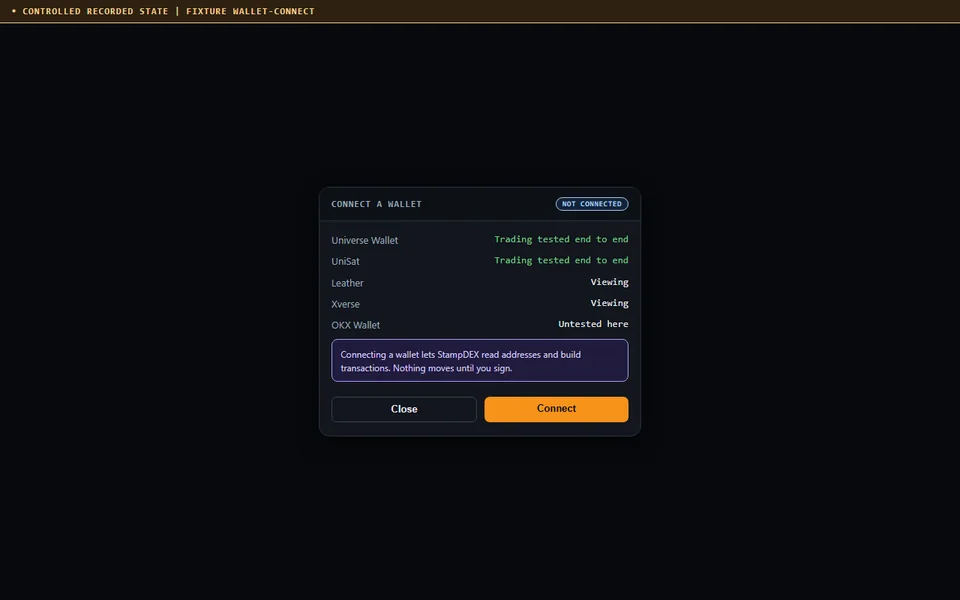
  • A controlled recording of the wallet connection screen listing Universe Wallet and UniSat as tested for trading, Leather and Xverse for viewing, and OKX Wallet as untested.

    fixture wallet connect

    The wallet connection screen, reproduced as a controlled recorded state. Connecting lets StampDEX read addresses and build transactions; nothing moves until you sign.

    The guide that explains this screen

    Controlled recorded state · 2026-09-02 · dark desktop

Markets

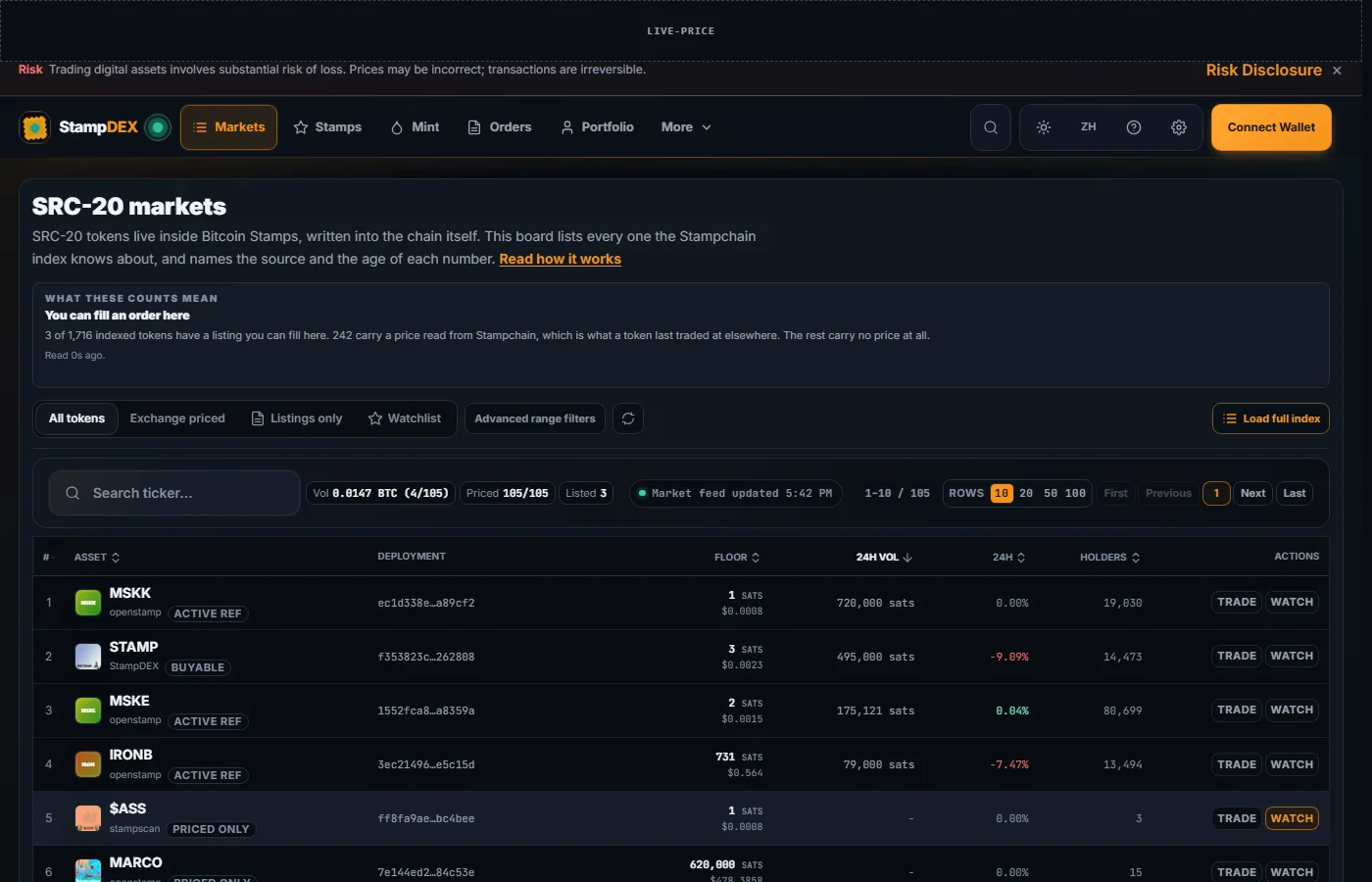
  • The StampDEX market board in the dark theme: the SRC-20 token table with floor prices in sats, 24 hour change, volume, holders, and a source label per figure.

    market desktop dark

    The market board. Every row carries the deployment transaction that identifies the token, and a source label for each figure. The rolling price ticker is masked because it never stops moving.
    The guide that explains this screen

    Production · 2026-09-02 · dark desktop

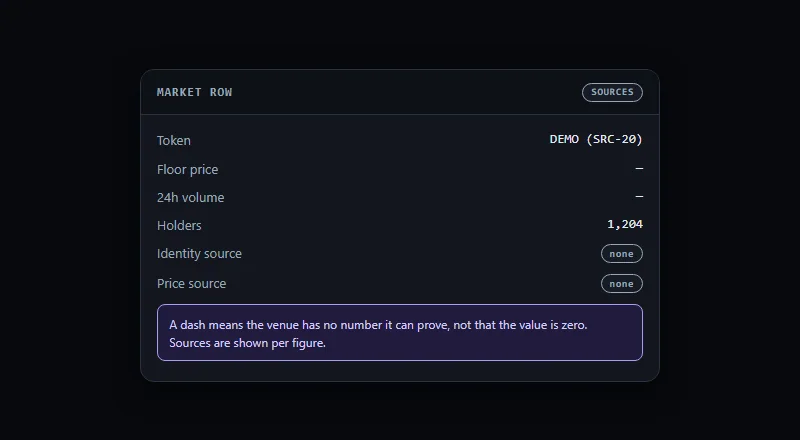
  • A controlled recording of a market row where floor price and volume show dashes with a source label of none, next to a holders count that does have a source.

    fixture unknown value

    Unknown is not zero, reproduced as a controlled recorded state. A dash means the venue has no number it can prove, and the sources are named per figure.

    The guide that explains this screen

    Controlled recorded state · 2026-09-02 · dark desktop

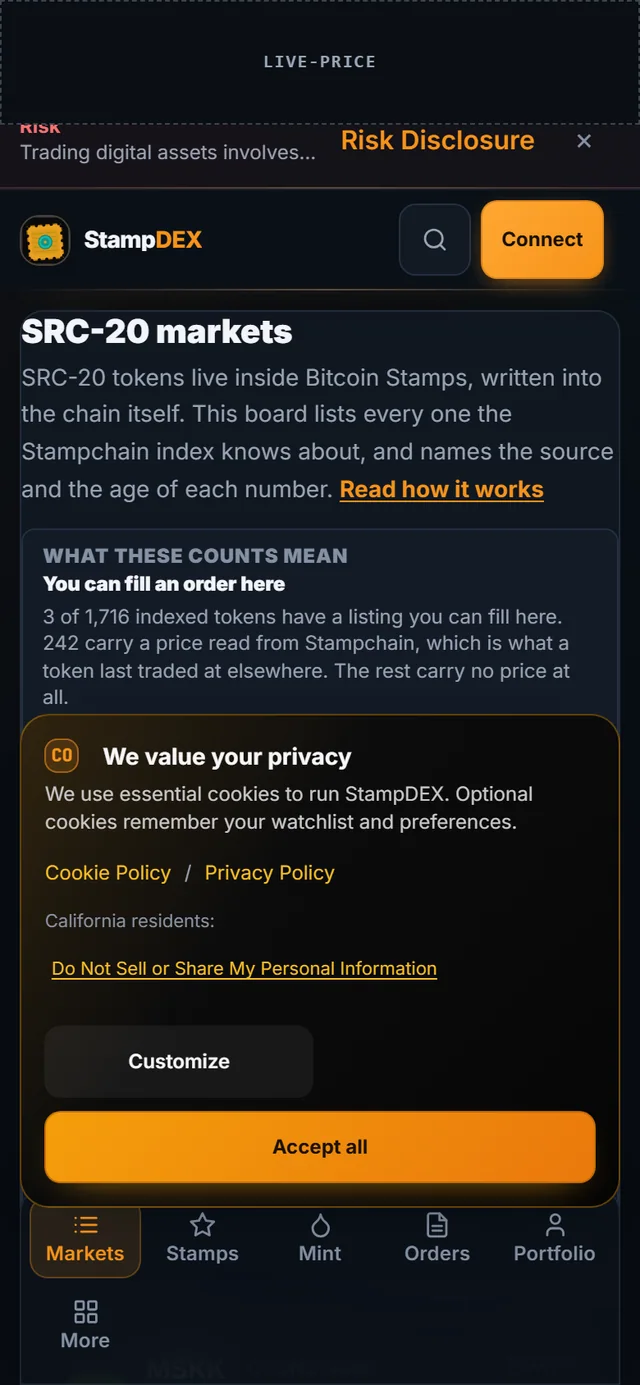
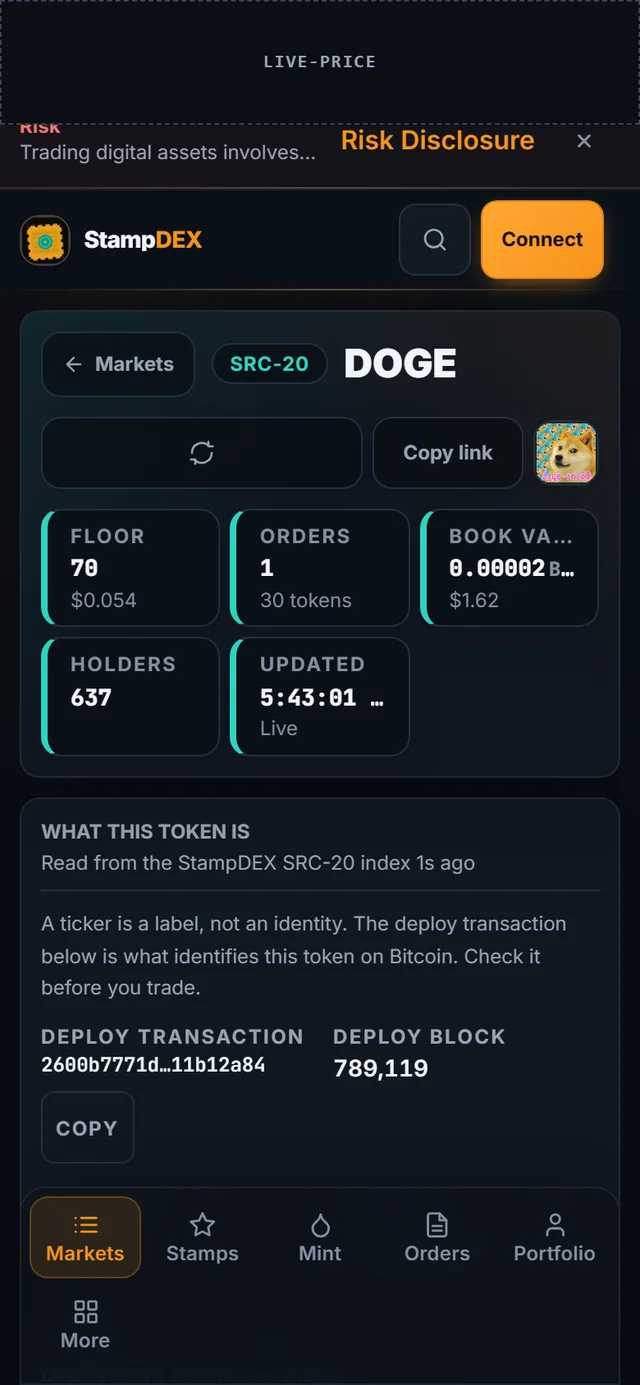
Mobile

Portfolio

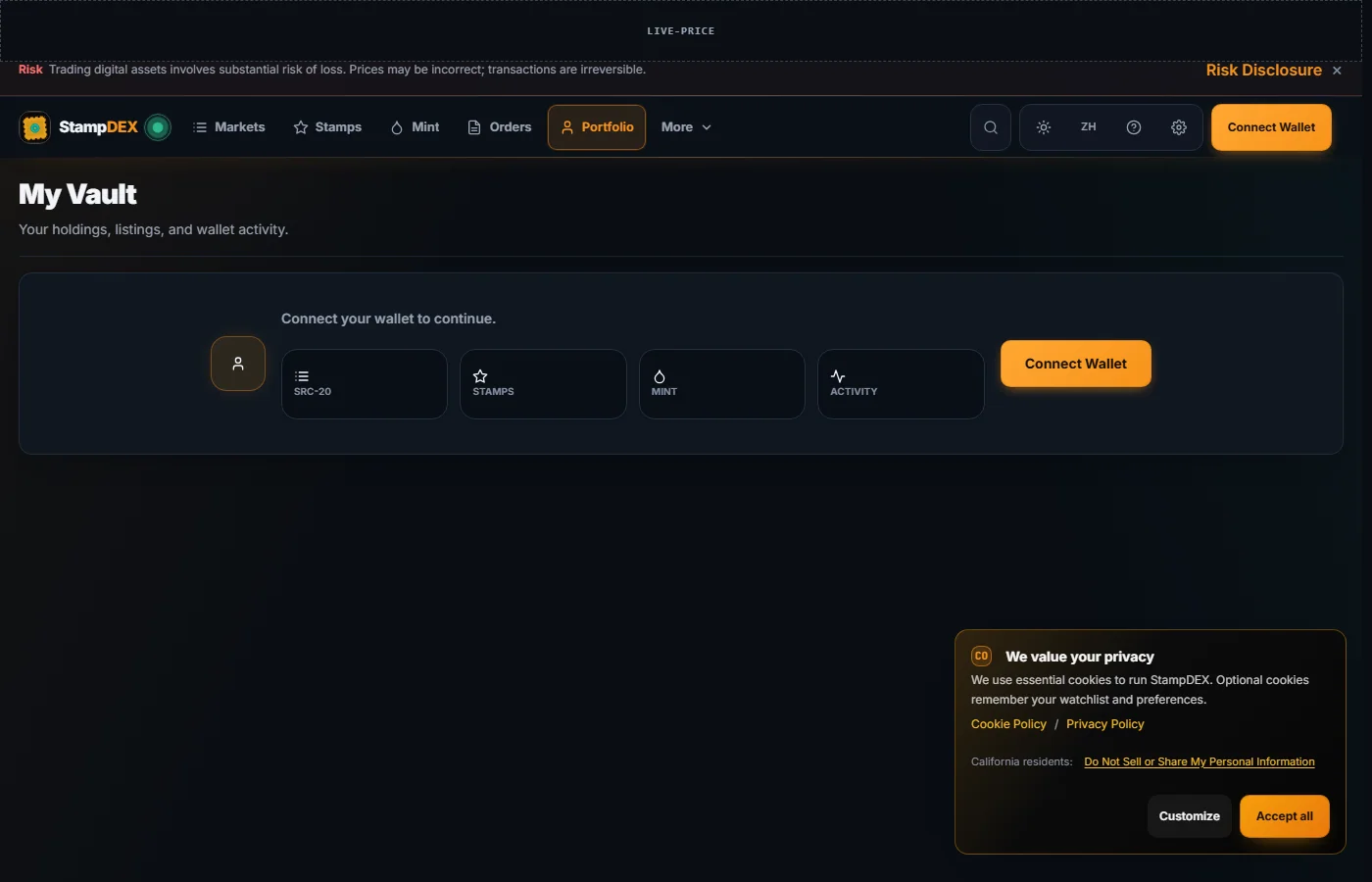
  • The StampDEX vault page in the dark theme with no wallet connected, showing the empty state that asks you to connect a wallet.

    vault desktop dark

    The vault with no wallet connected. Holdings appear only after you connect; browsing never requires one.

    The guide that explains this screen

    Production · 2026-09-02 · dark desktop

Safety and recovery

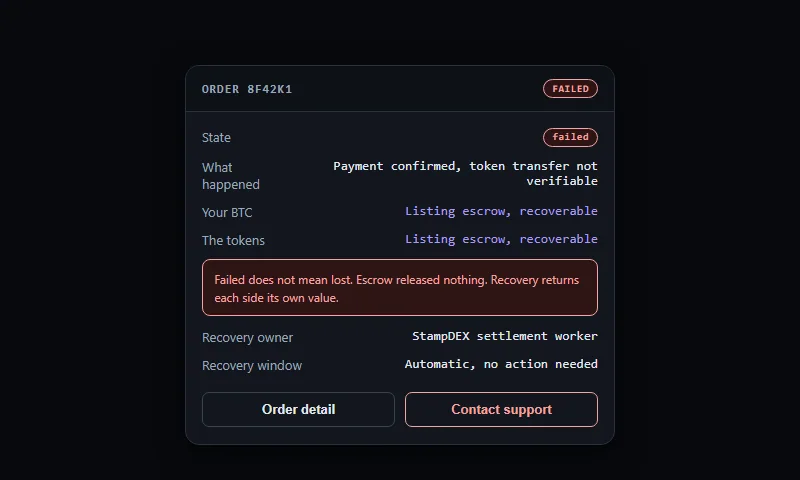
  • A controlled recording of a failed order panel: the state marked failed, both the BTC and the tokens marked as held in escrow and recoverable, and the recovery owner named.

    fixture failed order

    A failed order, reproduced as a controlled recorded state. Failed does not mean lost: escrow released nothing, and recovery returns each side its own value.

    The guide that explains this screen

    Controlled recorded state · 2026-09-02 · dark desktop

Stamps

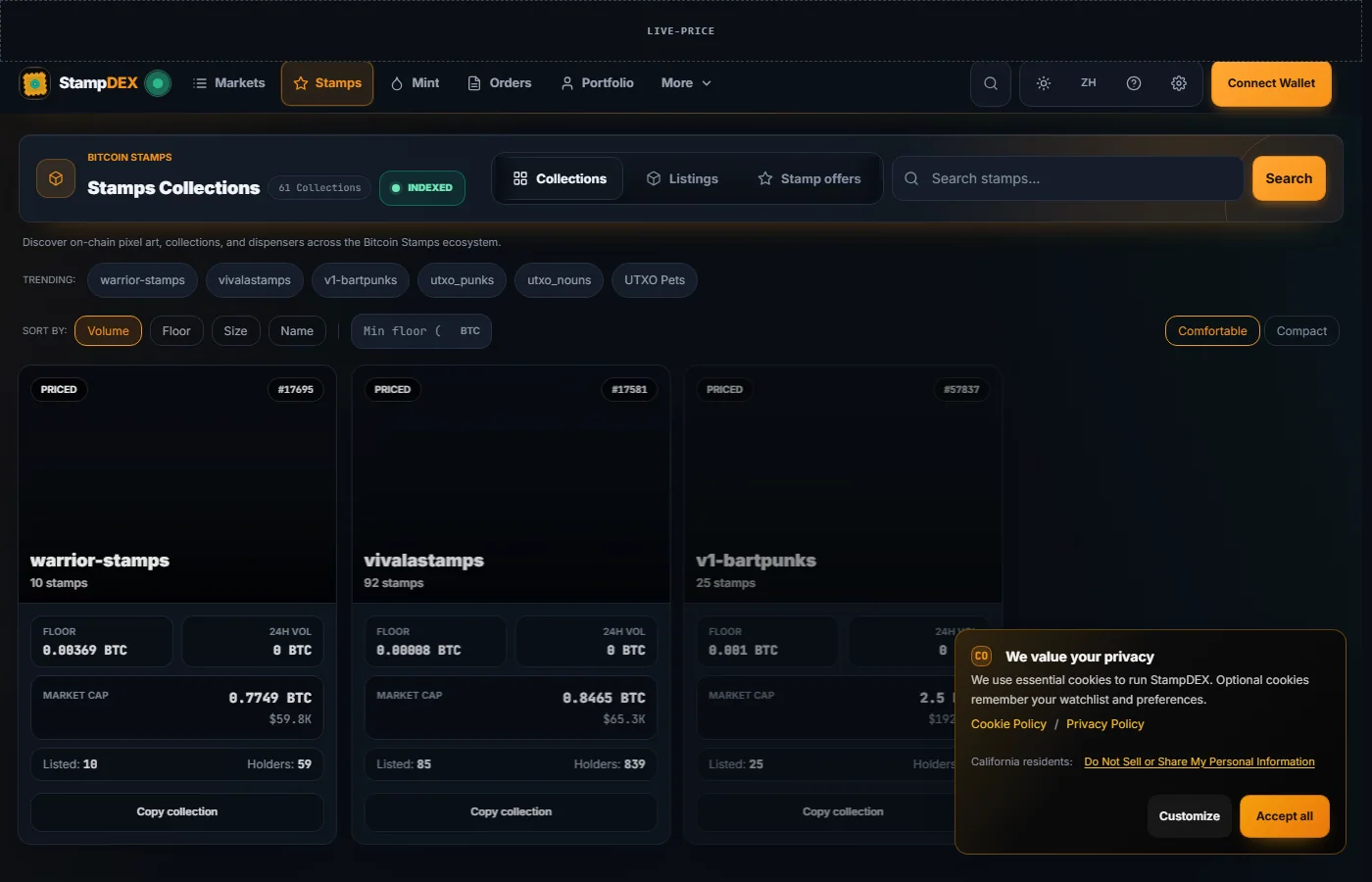
  • The StampDEX stamps gallery in the dark theme: a grid of Bitcoin Stamp collections with floor prices.

    stamps desktop dark

    The stamps gallery. Collections are what you browse; the stamp detail names the transaction behind each piece.

    The guide that explains this screen

    Production · 2026-09-02 · dark desktop

Themes

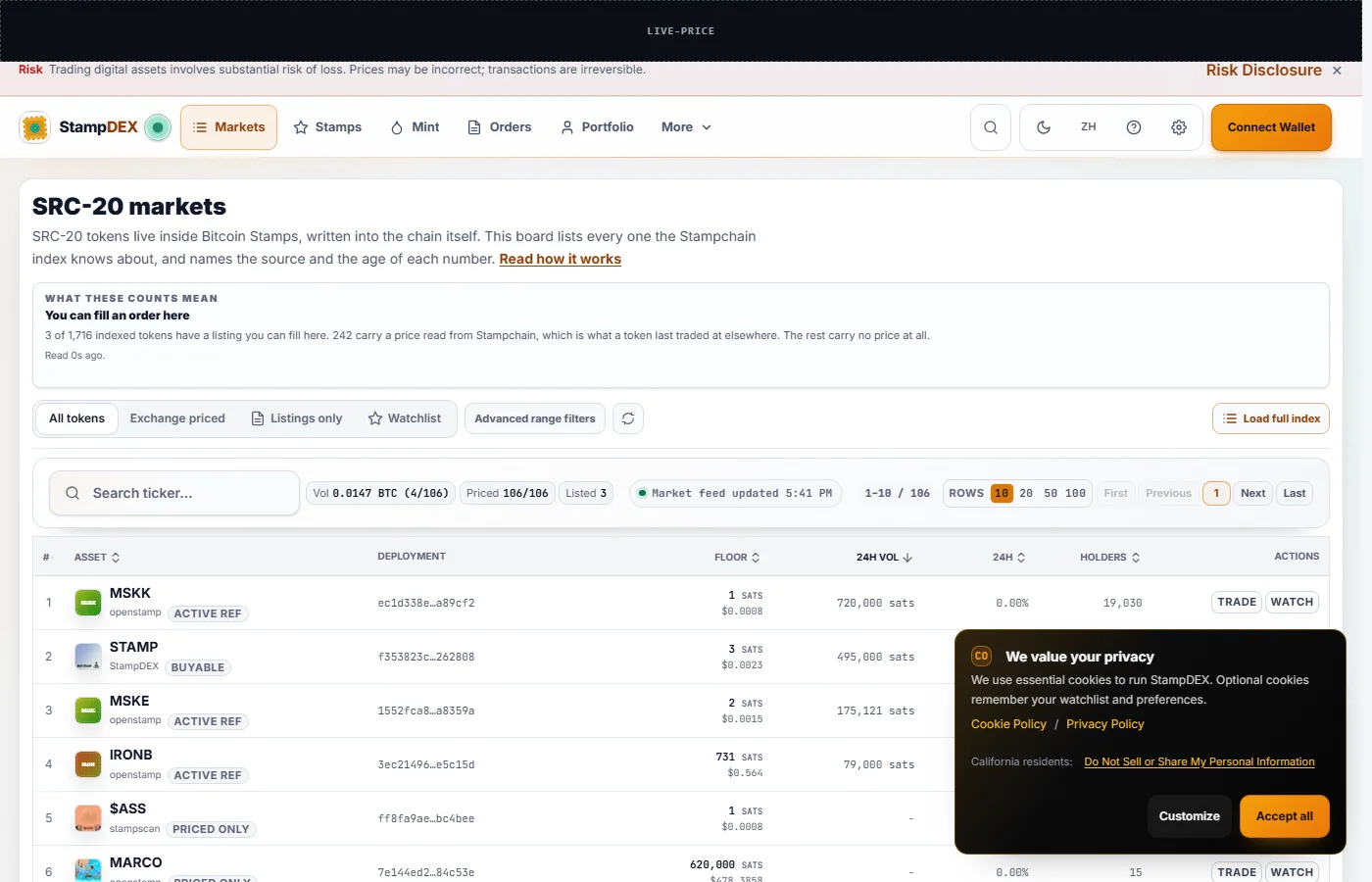
  • The StampDEX market board in the light theme, same table of SRC-20 tokens with source labels and floor prices.

    market desktop light

    The same market board in the light theme. Theme is a preference, not a different venue.
    The guide that explains this screen

    Production · 2026-09-02 · light desktop

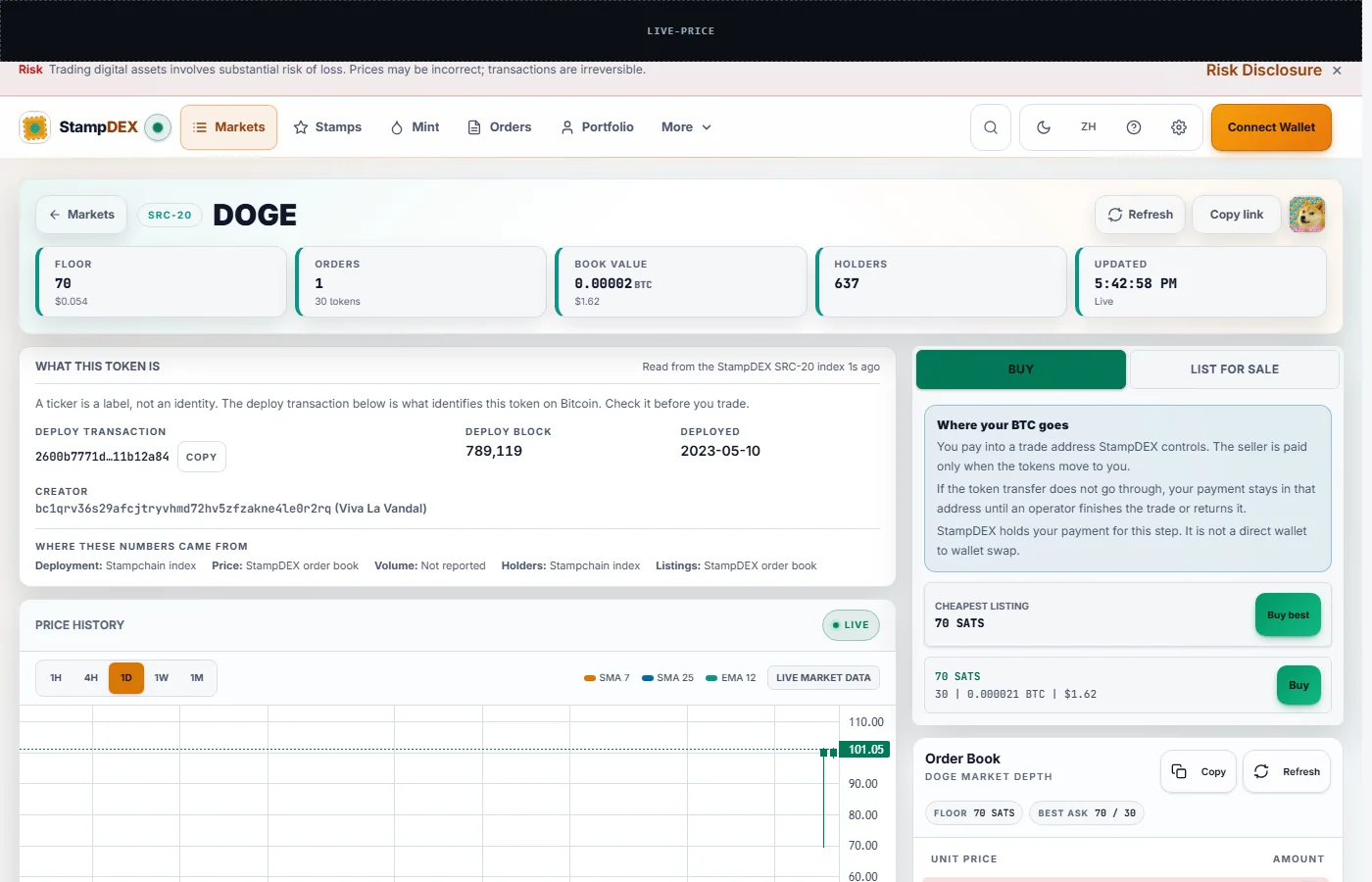
  • The DOGE token trading page in the light theme.

    token desktop light

    The token page in the light theme. The trade panel states where the BTC goes before the wallet opens.

    The guide that explains this screen

    Production · 2026-09-02 · light desktop

Trade

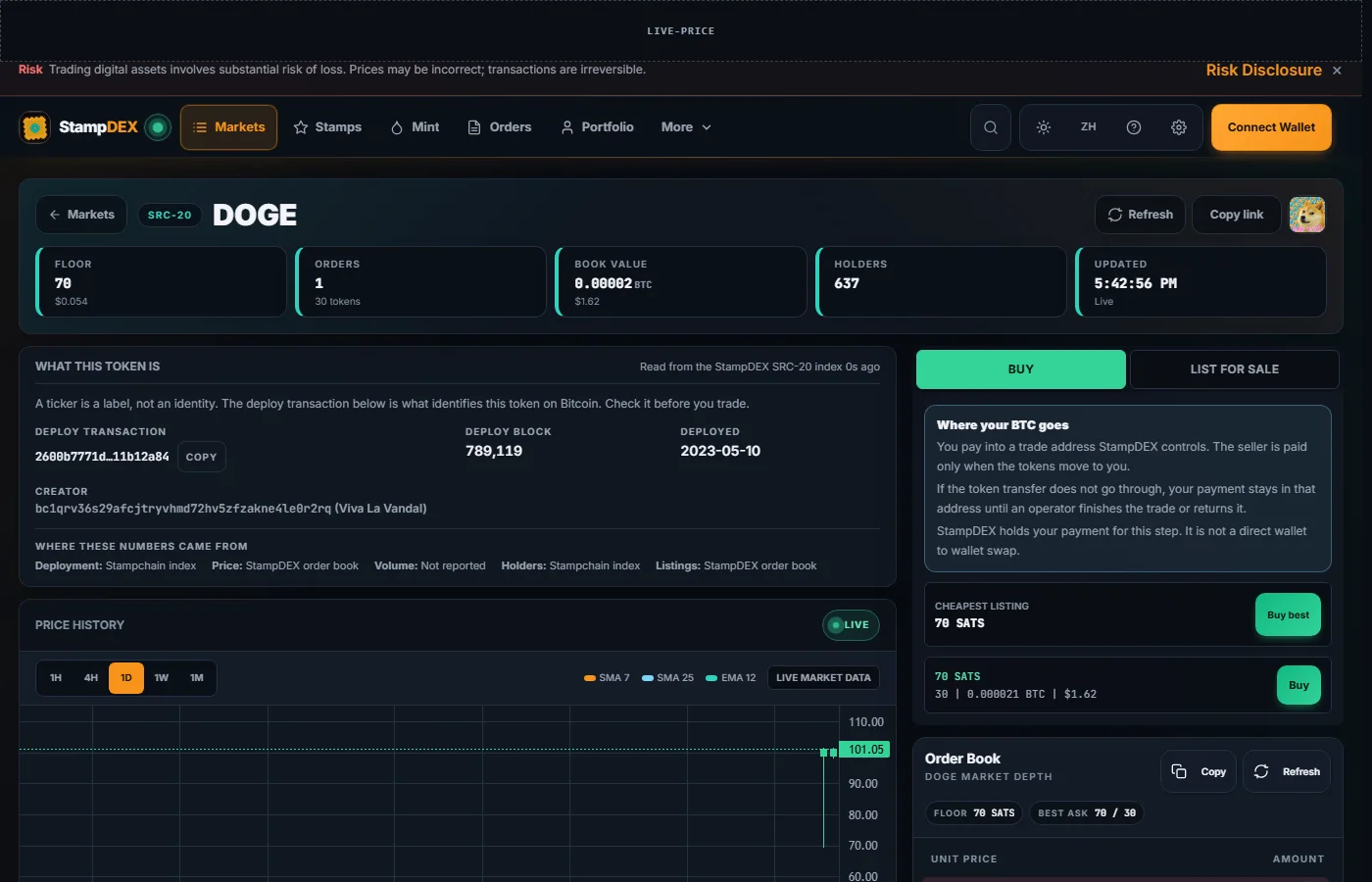
  • An SRC-20 token trading page for DOGE in the dark theme: what the token is, its reference price with its source, and the order book of signed listings.

    token desktop dark

    A token page for DOGE. The deployment transaction in the URL names the token exactly; the order book shows signed listings with amount, unit price, and total.
    The guide that explains this screen

    Production · 2026-09-02 · dark desktop

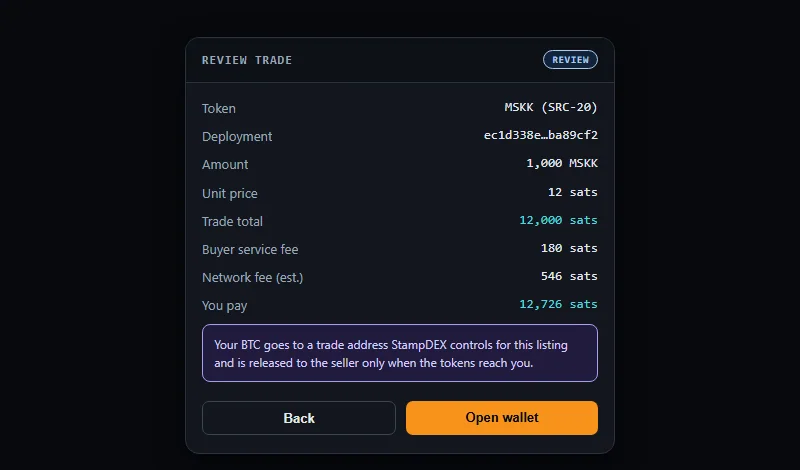
  • A controlled recording of the StampDEX buy review panel: token, amount, unit price, trade total, buyer service fee, estimated network fee, and the line saying where the BTC goes.

    fixture buy review

    The buy review, reproduced as a controlled recorded state with deterministic example numbers. Read the review panel in production before you sign; these numbers are not live.

    The guide that explains this screen

    Controlled recorded state · 2026-09-02 · dark desktop

Nothing here is a mockup. Where a screen cannot be captured from production without touching real funds, the site records a controlled fixture and says so. See Release evidencefor how claims are grounded, andContributing for how the capture runner is used.

Was this page helpful?
How can we improve it?
0/500
✓Thank you for helping improve StampDEX documentation!